


Geometry Vibes
3.662.00 Reviews
App Specs
- Version
- 2.0.1
- Updated On
- License
- Free
- Downloads
- 1,000,000+
- Developer
- gameVgames
- Categories
- Arcade
- Platform
- Android
Screenshots
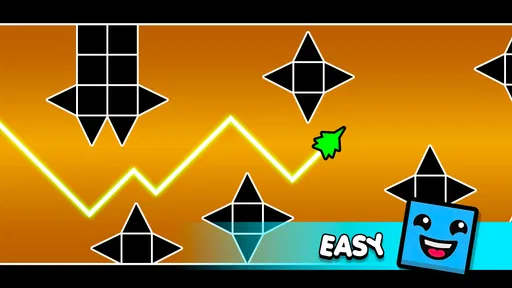
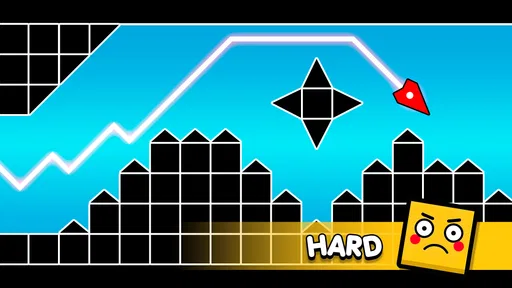
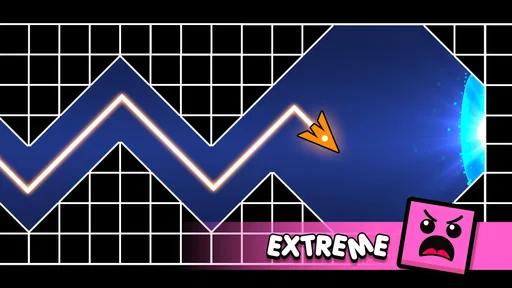
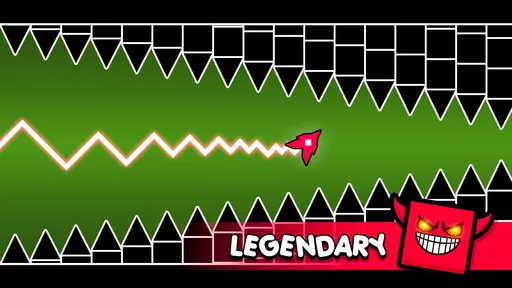
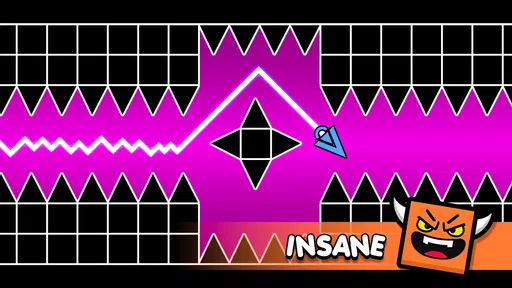
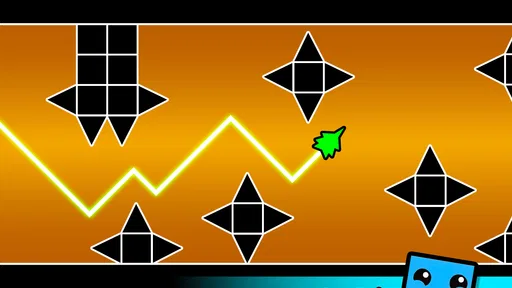
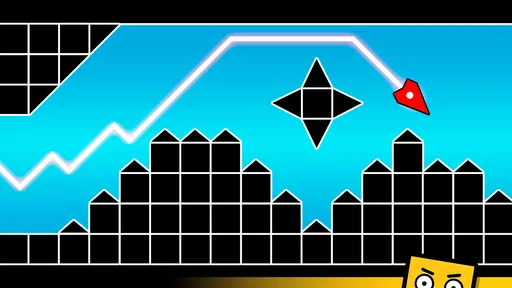
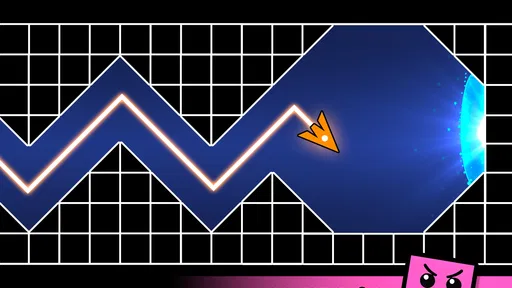
 Analysis by AppCompare
I approached Geometry Vibes expecting a quick arcade distraction, and that is exactly where it makes the most sense. The game puts reaction time at the center: I guide the on-screen movement, watch for incoming obstacles, and try to stay alive long enough to improve my next attempt. There is no need to learn a complicated rule set before playing. The appeal is immediate, but the challenge comes from turning a simple first action into a repeatable skill.
That simplicity makes it a comfortable starting point for someone who has not played many arcade games. You can understand the basic goal within moments, yet short attempts still leave room for mistakes, experimentation, and gradual improvement. I found myself thinking less about “finishing” the game and more about correcting one small error from the previous run. That is a good fit for spare moments when I want something active rather than a passive video or a long story-driven game.
The clearest reason to try it is that it asks for a small, specific kind of attention. I do not need to plan a build, remember a story, or coordinate with other players; I only need to notice danger and react. That makes it easy to fit into a day, but it also means I should choose the moment: a few focused minutes work better than playing while juggling a conversation or watching something else.
What the first few minutes feel like
Geometry Vibes is an arcade game from gameVgames, and its core idea is built around avoiding obstacles through quick reactions. The first meaningful success is not complicated: recognize the danger, respond in time, and keep the run going farther than before. That makes the opening easy to understand, even if the timing becomes demanding once the screen starts asking for faster decisions.
I recommend treating the first attempt as a learning pass rather than a test of skill. Pay attention to how the playable object responds to your input, how much time you have before an obstacle reaches you, and whether your instinct is to react too early or too late. Those observations matter more than chasing a strong result immediately. Once I stopped trying to make every movement perfect, the game became easier to read.
The game is free, which lowers the barrier to trying it casually. Its Everyone age rating also makes the presentation suitable for a broad audience, although younger players may still need a little patience because reaction-based play can become frustrating after repeated failures. I would describe it as accessible to start, but not automatically easy to master.
Its audience size also suggests that it has reached beyond a tiny niche: the game has more than a million installs, while its average rating is 3.6 from roughly two thousand ratings. I would read that combination as a reason to try it for yourself rather than as a guarantee that it will suit everyone. Reaction games are especially dependent on personal tolerance for repetition, pace, and visual pressure.
Worth Reading Before You Choose

EA SPORTS FC Mobile 26 Is a Bigger Football Game, but It Takes Time

Flipboard Shows What News Apps Must Do Beyond the Feed

Switching to Android Auto Means Rethinking Your Driving Routine

Google Calendar Makes a Crowded Week Easier to Manage

Ludo King Makes the Most of the Minutes Between Plans

Baby Panda World Brings Quick Play to Modern Phones, but Its Game Library Feels Busy
Getting ready without overthinking it
The installation path is straightforward on compatible devices. The game requires Android 8.0 or later, so anyone using an older Android phone should check compatibility before planning to play. On a supported device, I would begin with a short session and keep the first goal modest: understand the control response and survive a little longer than the opening attempt.
The current version is 2.0.1, so it is sensible to use the current release when starting rather than judging the experience from an old installation. I would also avoid beginning in a noisy environment. The game depends on visual attention, and even a short interruption can turn a manageable obstacle into an unavoidable collision.
One practical tip is to hold the phone in the position that gives your thumb or finger the clearest view of the action. Do not cover the area where obstacles appear while trying to control the character. This sounds obvious, but in a fast arcade game, a comfortable grip can make the difference between seeing a pattern early and reacting after it is already too late.
I also suggest starting with a relaxed hand. Tensing up often leads to exaggerated movements or late corrections. My better attempts came when I used small, deliberate inputs and watched the space ahead instead of staring only at the object I was controlling. That change in attention is one of the first useful lessons the game offers.
How to reach the first real success
The first successful action should be approached as a sequence of observations. Look at the obstacle’s position, decide where the safe space appears to be, and make one controlled adjustment. After that, return your attention to what is coming next. The temptation is to celebrate a successful dodge for too long, but the game immediately rewards continued awareness rather than a single clever move.
When I play this kind of challenge, I find it useful to separate recognition from movement. First I identify the threat; then I decide how much correction is needed. Moving before I have read the situation usually creates a second problem. This approach is especially helpful for beginners because it replaces frantic tapping or swiping with a repeatable routine.
Another useful habit is to treat each failed run as a specific lesson. Instead of saying “I am bad at this,” ask whether the mistake came from missing an obstacle, reacting too soon, or making a correction that was too large. Those are different problems, and each calls for a different adjustment. The game’s simple premise makes this kind of self-coaching easy to apply.
A realistic everyday use case is a short break between tasks. I might play a few attempts while waiting for an appointment or during a pause in a study session. The game does not require me to remember a plot or rebuild a complicated strategy after putting it down. I can return, make a few reactions, and stop when I am ready. That makes it more convenient than an arcade game that demands a long uninterrupted session.
For a practical routine, I would set a natural stopping point before starting: a few attempts, or until I can identify one recurring mistake. That keeps a quick break from quietly turning into a longer stretch of retries. It also gives each run a purpose. If I am waiting for a friend and need to keep an eye on the time, I can stop after an attempt rather than committing to a level or a longer activity.
Where beginners can become confused
The biggest source of confusion is assuming that a reaction game is only about speed. In practice, timing and restraint matter just as much. If I react to every visual change with a large movement, I can create danger that was not there before. The safer approach is to make the smallest correction that puts the character on a better path.
It is also easy to mistake an early failure for a problem with the controls. Sometimes the real issue is that I am watching the wrong part of the screen or waiting until an obstacle is too close. Before deciding that the game feels unfair, I would try several attempts while deliberately looking farther ahead. That gives the brain more time to process what is coming.
Another point worth understanding is that improvement may feel uneven. One run can go well because the timing happens to match my attention, while the next can end quickly after a small lapse. That inconsistency is normal for a reaction-based arcade game. I would judge progress over a group of attempts, not by one unusually good or bad result.
Players who expect a large collection of missions, character development, or a story may also feel that the experience is too narrow. Geometry Vibes focuses on the immediate act of avoiding obstacles. That focus is its strength when I want a clean challenge, but it is a limitation if I am looking for a game with long-term narrative variety or a broad progression system.
Compared with a traditional endless runner, the experience feels more concentrated on reading danger and responding accurately than on collecting items or following a route. Compared with a puzzle game, it gives me less time to analyze a situation and more reason to trust quick visual decisions. Those differences matter when choosing what to play: I reach for this when I want active concentration, not when I want to relax with slow planning.
That comparison also helps answer whether it suits a commute or a shared room. It can work during a predictable wait when I can look at the screen, but it is a poor match for a bumpy trip or a setting where I must frequently glance away. A puzzle game usually tolerates those interruptions better because I can pause to think; this kind of obstacle avoidance is less forgiving when attention breaks at the wrong instant.
Turning short attempts into better play
Once the basic movement feels familiar, the next step is to build a consistent routine. I like to begin each attempt by checking my grip and settling my attention before making any unnecessary input. During play, I focus on the next safe opportunity rather than predicting too far ahead. That keeps the challenge manageable and reduces the urge to panic when the pace increases.
A useful trade-off is deciding whether to play for a personal best or for cleaner technique. Chasing distance can encourage risky reactions, while practicing controlled movement may produce shorter runs at first. I prefer alternating the two: one attempt focused on survival, another focused on understanding how quickly I can respond. This makes repeated play feel more purposeful than simply restarting without reflection.
There is a small but valuable way to keep that practice honest: change only one habit between attempts. If I both alter my grip and try to react earlier, I will not know which change helped. I prefer to focus on either looking farther ahead or reducing the size of my corrections, then judge the next run. It is a modest approach, but it makes the game’s quick feedback more useful than a vague sense that I played better.
If you are introducing the game to a child or a less experienced player, I would frame success around learning one response rather than lasting for a long time. The Everyone rating makes it broadly approachable, but the pressure of repeated obstacle avoidance can still be demanding. Short sessions and encouragement to pause after frustration are more useful than insisting on immediate improvement.
For experienced arcade players, the attraction is likely to be the compact feedback loop. A mistake happens, I understand roughly why it happened, and I can try again without a lengthy setup. The downside is that players who need extensive variety may reach the limits of that loop sooner. This is not the best choice for someone who wants every session to introduce a new mechanic or a different type of objective.
I would also skip it if my main goal is a calm, low-attention game. Even though the rules are simple, avoiding obstacles asks me to stay engaged. A slower puzzle, idle game, or narrative title would be a better alternative when I want to play while distracted. Geometry Vibes works best when I can give it a few minutes of undivided attention.
My recommendation after settling into the rhythm
After spending time with it, I see Geometry Vibes as a focused, easy-to-start arcade game rather than an all-purpose mobile experience. It succeeds when I want a direct challenge with a clear objective and quick restarts. The first meaningful achievement comes from learning to read the screen and make measured corrections, not from memorizing a complicated system.
The game’s free entry point and broad age rating make it easy to recommend as a trial. I would tell a friend to install it if they enjoy short reaction challenges, want something for brief breaks, or like improving through repeated attempts. I would be more cautious with someone who dislikes failure loops, needs extensive content variety, or prefers games that can be played while only half paying attention.
For someone deciding whether to keep it installed, I would use a simple test: after a few tries, do you feel curious about what you could adjust, or merely annoyed that the last attempt ended? Curiosity is a good sign that the repetition is working for you. If each restart feels like the same irritation with no satisfying lesson, a different arcade game with more varied objectives will probably be a better use of your time.
My strongest advice is to give the controls several fair attempts before forming an opinion. Keep your view clear, look ahead, use smaller movements, and identify the exact reason for each collision. Those habits turn the opening minutes from random tapping into a practical learning process. They also make the game feel more rewarding because improvement becomes something I can explain, not just something that occasionally happens.
In the end, Geometry Vibes is at its best as a compact test of focus. It does not need a complicated presentation to create tension: the simple act of seeing an obstacle and responding correctly is enough. The 62 written reviews and overall 3.6 average show that the reception is mixed rather than universally enthusiastic, so I would not promise that every player will connect with it. Still, for anyone who enjoys reaction-based arcade play, the low commitment makes it worth trying, and the path from the first uncertain dodge to a controlled successful run is clear enough to keep me coming back.
Pros
- Fast-paced levels make each run exciting and challenging.
- Simple one-touch controls are easy to learn.
- Bright geometric visuals give the game a distinctive style.
- Short sessions work well for quick mobile gaming.
- Increasing difficulty provides a satisfying sense of progress.
Cons
- Some obstacles may feel unfair until their patterns are memorized.
- Repeated attempts can become frustrating for less patient players.
- The gameplay may feel repetitive after extended sessions.
- Requires quick reactions that may not suit every player.
- Ads or optional purchases may interrupt the overall experience.
FAQs for Geometry Vibes
What is Geometry Vibes, and how is the game played?
Geometry Vibes is a fast-paced arcade game centered on controlling a geometric character through obstacle-filled levels. You generally tap, click, or hold the screen to adjust the character’s movement while avoiding spikes, walls, and other hazards. The controls are easy to understand, but the timing becomes increasingly demanding as levels speed up and introduce more complicated patterns.
Is Geometry Vibes suitable for beginners?
Yes, Geometry Vibes is easy to start because its basic controls are simple and the objective is immediately clear. However, it is designed to become challenging quite quickly. Beginners may need several attempts to learn obstacle patterns, control the character accurately, and react to sudden changes in speed. Patience and repeated practice are important for making consistent progress.
Does Geometry Vibes require an internet connection?
Geometry Vibes is primarily designed as a quick arcade experience, so many of its core gameplay features can usually be enjoyed without a constant internet connection. Offline availability may depend on the version installed and the device platform. An internet connection could still be required for advertisements, updates, leaderboards, cloud features, or other online services.
Are there advertisements or in-app purchases in Geometry Vibes?
The availability of advertisements and optional purchases can vary according to the mobile version, region, and developer updates. Players may encounter ads between attempts or levels, while some versions can offer optional items, upgrades, or ad-removal features. Before downloading, it is worth checking the store listing and reviewing the purchase information shown for your device.
What devices are compatible with Geometry Vibes?
Geometry Vibes is available for supported Android and iOS devices, but exact compatibility depends on the operating system version, hardware, and the edition published in your region. Because the game relies on quick reactions, a device with responsive touch controls and stable performance will provide a better experience. Always check the official store requirements before installing it.


